The WordPress community is big. Really big. We're talking thousands of designers and developers, tens of thousands of writers, and millions of users, all contributing to pushing WordPress forward. And one very popular way to do this is designing and developing free themes. Read the full article >>
The trend of responsive wordpress themes is getting more popular is every bloggers. WordPress offered very simple designs with basic functions But with the passage of time, several web developers and designers are taking part in designing fully responsive and attractive wordpress themes. Today we have collected some free premium wordpress themes with amazing features and responsive as well. These great themes with effective layouts can be used for creating websites and blogs, portfolio. check out our today’s article and find these free high quality themes. Enjoy! Continue to the full article >>
If your next design project involves creating a website layout from scratch, you do not want to miss this article. Today we have an amazing treat for you, your design team at Designrfix has done an excellent job in scouring the Internet in search of the best web design tutorials. These Photoshop tutorials will arm you with all the latest techniques to help you in your web design creations. So what are you waiting for…why not try one out? Enjoy!
You want to customise your site, but where do you
start? We present the 10 best WordPress plugins around, for adding
social features, ecommerce capabilities, and more.
WordPress is both the world’s most popular blogging platform and the
widest used Content Management System (CMS). And one of the reasons it's
so popular is that it happily supports templating and plugins, making
it highly flexible and customisable to suit different website needs.
This flexibility, alongside the platform’s huge popularity, means there’s thousands of free plugins available on the web.
That's the good news. The bad news is that sorting the wheat from the
chaff can be a real challenge. So below we’ve chosen 10 of the best
WordPress plugins to add functionality to your website - and as the
icing on the cake, are all available free of charge!
BuddyPress: the best WordPress plugin for social features?
BuddyPress is a social media platform in a box. Building on top of
the WordPress system, it allows you to register, maintain a list of
friends, @message other users, create groups of common interests and
host your own forums.
BuddyPress itself is also extensible, allowing you to further extend
functionality to include document upload, integration with other social
media streams, create membership-only websites and much more.
If you’re looking for a user-led or project-based system that
encourages collaboration and interaction between visitors to your site,
BuddyPress is an ideal solution and one of, if not the, best WordPress
plugins for social networking.
Use WP e-commerce to start earning money from your WordPress site
WP e-Commerce turns your WordPress website into a fully featured
ecommerce store, complete with built-in connection to (and integration
with) many major Payment Service Providers (PSPs).
The system enables you to upload products into different categories
and offers customers a shopping cart system to allow them to build an
order. It handles calculation of shipping, payment capture and all the
email confirmations associated with buying and selling on the web.
The plugin is free, and while you can buy additional upgrades to the
system, it’s open source just like WordPress - so it’s perfectly
possible to extend the cart’s functionality yourself. It's for these
reasons that many champion it as the best WordPress plugin for
ecommerce.
If you upload to Vimeo and have a WordPress site, Vimeography is a must-have download
If you’re a film-maker or someone who handles video on a regular
basis, you’ll know it can be tricky to display your film content
beautifully without resorting to manual hacks around embedding content.
Vimeo users can take advantage of the Vimeography WordPress plugin to
create and display fantastic-looking galleries of video content - all
orientated around displaying nicely within your WordPress site. Multiple
galleries of content can be created, and are inserted into posts or
pages using the standard WordPress shortcode system.
Vimeography is arguably the best WordPress plugin for video, although
note that only supports content from Vimeo. And that's not likely to
change soon because the developer believes Vimeo is the best platform to
displaying portfolio-quality content (ie without advertising or
unnecessary platform branding).
SlideDeck 2 Lite is a quick and easy way to create slideshows
SlideDeck enables you to create customised slideshows that are
displayed in a content slider on your WordPress site. Each slide can be
filled with text, images, video, social media stream feeds and
syndicated content.
Content supported includes Twitter feeds, YouTube, Pinterest, Flickr
and more. The slides are presented through a template system, referred
to by SlideDeck as a “lens”, which can be configured to match your site
design. The premium version of the plugin adds more lenses, but the free version does allow you to develop your own.
Create a customised audio player that sits within your WordPress site
We'd consider this the best WordPress plugin for creating a
customised audio player that sits within your site. It supports multiple
or single tracks, complete with playlists and is inserted into your
standard content with the familiar shortcode system.
HTML5 is used as the default delivery method, but to ensure backwards
compatibility it also features a Flash-based fallback. As a
consequence, this will happily work across desktop and mobile devices
without breaking a sweat!
The plugin also connects with FetchApp,
enabling you to sell your audio tracks directly from your site. Which
makes it ideal for musicians or podcasters who want a reliable way to
deliver their audio through their website.
Activate or deactivate widgets on your site based on the day of the week
This is a handy little WordPress plugin that allows you to activate
or deactivate widgets used on your site based on the day of the week.
Ideal for any scenario where the day is important to the content being
displayed, such as a restaurant that wants to show daily specials, a
school displaying timetable information or a business with different
opening hours. It’s very simple, but extremely functional and useful.
Serve a different WordPress theme to users of different mobile devices with this handy plugin
If you're looking for a mobile skin solution, WPTouch is probably the best WordPress plugin for your needs.
It allows you to serve a different theme to users on mobile device
such as an iPhone or Android phone, providing a user-friendly and
small-screen-optimised version of your content instead of forcing mobile
users to navigate a desktop-orientated design.
Installation is very simple, and the plugin can be configured to
match your overall design aesthetic relatively easily. This is a great
quick-fix solution if you don’t want to get into designing your own
mobile theme.
Blogging plugin JetPack's features are wide and varied
JetPack brings some of the functionality of WordPress hosted blogs to
self-hosted WordPress installations. The features are wide and varied
but include cloud-hosted stats for your site, email subscription to your
site, a built-in URL shortener service, social-network-based
commenting, inline spelling and grammar checking and an enhanced gallery
system.
Price Table offers a simple drag-and-drop solution
Want to create interactive pricing tables? Then this is the best
WordPress plugin for you. It offers a simple drag-and-drop solution,
inserting the tables directly into your page content.
The system offers a straightforward solution to editing price table
content, without the need to understand the underlying HTML and CSS -
making it ideal for websites being maintained by non-technical users.
Being built entirely in CSS, the design is easy to theme too, making
Price Table highly recommended!
Create image galleries for your WordPress site with the NextGen Gallery plugin
It's open to debate whether NextGen Gallery is the best WordPress
plugin for creating image galleries, but it’s certainly one of the most
feature-rich, and that alone makes it our personal favourite.
This plugin offers a great deal of flexibility in creating gallery
content, including the ability to watermark images, create slideshows,
organise content into albums and use different themes for display of
your images. And, like all those on this list, it's absolutely free!
CSS tools are essential for web developers because they act like a sort of magic lamp that can simplify the job at hand. Most development tools are time savers that are there to help developers create stylish, functional and optimized websites with a few shortcuts.
Responsive web design is undoubtedly a rapidly growing trend right now, the increasing tablet and mobile device usage has definitely been an ingredient in the success of web responsiveness. It would not be surprising to see the majority of popular websites adapt responsive web designs in the near future.
Website builders have now been around for a while, and are here to stay for long as they offer professional looking business websites for free. Since more and more markets and buyers are moving online, owning a website has become a necessity for every business. Free online website builders have helped many small business owners to create specialized websites with their easy site building tools, amazing designs and intuitive content management systems. Let’s check out some of the best site builders online that can help you build a fantastic business website for free or at a minimal expense.
Fancy starting your own blog but don't know where to begin? Want to add something new to your existing WordPress site? Then check out these 45 awesome WordPress tutorials...
Favorite Website Awards was founded in 2000. The FWA
showcases the most cutting edge website designs. Since then there have
been many web design galleries that have been popping up. In this post
you will find 50 website design galleries that showcase the best
websites from around the world. Happy surfing!
jQuery image galleries and sliders are very common on portfolio sites and
are also useful for any other type of site for displaying images and
photos. Fortunately, adding a jQuery gallery does not have to be
difficult, even if you don’t have much experience with JavaScript and
jQuery. In this post we’ll see tutorials that can provide you with the
resources that you need to get a gallery of slider on your site
Nowadays we’re seeing websites featuring cool interactivity and
animation that are based purely on HTML, CSS,JAVASCRIPT AND JQUERY. Here
in this post we have some of the coolest websites powered by Javascript
and jQuery framework that all offer a rich browsing experience.
Twitter has gone through a number of design and layout iterations, where perhaps Twitter background design options have suffered. Many people simply gave up, but with the right design skills it’s possible to create a rich experience for your followers. Here is a collection of awesome Twitter backgrounds from the Twitterverse. Hope they inspire you to create your own amazing Twitter background!
While most companies follow design trends, Apple has a habit of creating them. One of the largest electronic businesses on the market, and a pioneer in personal devices especially, it has become a powerhouse unlike any other seen around the world.
Have you ever had someone flirt with you and they did nothing but demean themselves the whole time? Did that make you attracted to them? Doubtful. Yet, this is how so many individuals seem to handle their business today.
With the advent of social media, the Web has been overflooded with individuals claiming that they are experts at everything. It has become so rampant that whenever I come to see someone label themselves as an expert, I immediately believe they are trying to pull a fast one on me. Unfortunately, many times these people get business because there are people out there who really do believe that they are experts.
How many great designers do you know out there who struggle to find clients, while the world’s worst Microsoft Frontpage jockey can’t keep client offers out of his inbox? I know some of you reading this are dying to get more clients or more users to the app you created. Obviously, to get more people you need to let more people know about you and that doesn’t happen unless you say something. Once you develop a big enough reputation, you can sit back and let others talk about you, but 98% of us aren’t at that point yet so we have only ourselves to depend on.
Being An Annoyance
The problem I find is that I don’t want to be annoying like the other people I see hawking their wares. You might have this problem as well. On Twitter, the world is informed of a new article on my Drawar blog once and that is it. On the very rare occasion I will send out another tweet hours or days later if a great discussion is happening, but beyond that I don’t want to bug my audience. I know people that have no problem promoting their articles once per hour. I don’t know how it works out for them, but I know it annoys me and if something annoys me, I try to avoid doing it myself and therein lies the problem.
When you are promoting your work it is hard to look at your acts of promotion from an outsider’s perspective. When you think you are being annoying, you might not even be registering as a blip on a person’s radar. You might not be promoting enough to get the attention of the masses and yet in your mind you feel as though the masses want to kill you for your own acts of survival. What happens if I am trying to promote an article at 10 a.m.? Does every one of my followers come across that tweet and then know to retweet it if they find it worthy? Probably not.
Be Proud
I believe we do design because we are proud of our work. We believe that we deserve a chance because we can offer the client a unique value. Internally, we believe in it and so that means externally we should show that we believe in it as well.
If you write or design, you must believe in what you do. If you don’t believe you have something to express, there are plenty of other jobs out there. If you believe in what you do, and if you’re doing it for real, you must find ways to let people know about it.
There is a difference between being arrogant about yourself as a person and being confident that your work has some value. The first is unattractive, the second is healthy and natural. Some people respond to the one as if it were the other. Don’t confuse them. Marketing is not bragging, and touting one’s wares is not evil. The baker in the medieval town square must holler “fresh rolls” if he hopes to feed the townfolk.
— On Self-Promotion
Not too long ago, some fellow informed me that he was going to unfollow Drawar on Twitter due to my arrogance. I’m not sure if he meant me personally or the fact that every once in a while I like to proclaim how wonderful I believe the site is. Admittedly, it can come across as arrogant and can be a complete turn off for many people, but to me that is just the confidence I have in the work I am putting forth with Drawar.
You often see testimonials on product and service sites, but not design blogs and portfolios. Why is that? Compliments and praise might be the greatest self-promotion you could ever achieve. Keep track of it. Put it out there for everyone to see. If your clients aren’t saying great things about you then you know you are doing something wrong, but if they are then why shouldn’t your future potential clients know about them as well?
You can’t complain about your lack of business if you aren’t doing anything about it. If you are working hard to spread the word and it isn’t working then either you aren’t doing it right or your product simply isn’t up to par. Hopefully, people respect you enough to let you know when it is below average.
When I first started writing articles, I didn’t write them and send them off onto the Web hoping that someone would find them. I sent them to my friends and asked them to tweet it, while I did the same on my personal Twitter account. Although I still think my friends should be tweeting everything that I write, I only ask them to tweet about my articles from time to time. Once or twice I have sent my friends a tweet linking to my articles and they have been kind enough to tweet about them to their audience.
I have also sent emails to individuals that I felt would be interested in an article and sometimes it works — many times it doesn’t. I still don’t feel comfortable asking others to tweet my stuff, but sometimes if you don’t ask then they won’t do it. In a perfect world, everyone spreads the word when you write something wonderful, but it just doesn’t work that way. We all need a little nudge from time to time.
The point is that even though I am proud of everything I write and wish that I had the audience to not have to worry about self-promotion ever again, I am not there yet and therefore have to continue to work and spread the word. This also means that when I do something I have to make sure it is quality and worth a person’s time. When you get people to commit to checking your work out and they don’t find it at all rewarding, you are going to have a hard time getting them back.
Community Participation
Dribbble isn’t just a showcase of great design, it has become a portfolio site for many designers. A large number have gotten jobs simply because someone came across their work on the site. You might work hard to build out your own portfolio with your own URL, but if you can’t find a way to get people to it then you are stuck. Dribbble helps you reach an audience that you might not have reached before.
This also applies to other communities. Blogging can help get you in the search engines and one day someone might happen upon you and launch your career. That is how Zeldman found Jason Santa Maria:
A Google search on Illustrator and Web design led me to a post by a guy I’d never heard of. The post was enjoyably written and reflected a mature and coherent attitude not simply toward the technique it described, but to the practice of design itself. Yes, the blog itself was intriguingly and skillfully designed, and that certainly didn’t hurt. But what made me hire Jason was not the artistry of his website’s design nor the demonstration that he possessed the technical skill I sought, but the fact that he had an evolved point of view about Web design.
— One Blog Post Is Worth A Thousand Portfolio Pieces
Taking the time to share you knowledge with the community shows that you have an idea of what you are doing. When people start to understand the process you go through to design a website, it helps to build credibility in their minds. If people within the community start calling you an expert, how do you think that projects to potential clients? By no means should you attempt to write every single day (unless you really want to), but getting an article up once a month can go a long way in promoting yourself.
Another great vehicle for self-promotion is conference speaking. You might see the same people speaking at different conferences throughout the year, but that is because many times they make it aware to the conference organizers that they are available to speak. Conference organizers look at the speaking lineups of other conferences to get an idea of who their audience wants to see.
However, if they don’t know you are willing to speak then why should they take the initiative to ask? Don’t hesitate to email conferences that interest you to let them know you are interesting in speaking for them.
Sharing Is Caring
While you should stand on top of the mountain and yell about your services every once in a while, the best method of promotion is to get involved. If you have a site, share your knowledge with the world. Visit other sites in the industry and comment. Make a name for yourself by being someone that is helpful. It’s no surprise that some of the best forms of promotion are giveaways.
If you follow Smashing Magazine on Twitter, you know that their feed is 95% links to other articles and resources. They play an enabler role of feeding traffic to the sites around them and in turn more and more people follow them. The greatest promotion Reddit ever did was to link out to the Web and not keep the stories to themselves.
If you are going to claim you don’t have time for this kind of stuff, well, then either you don’t have time to grow your business or your business is already at the point of saturation so life is good for you. I hope that you are at the latter stage, but many of you are still in the former.
When you stop making it useful to them, then you lose them. That doesn’t mean you shouldn’t use it for your own gain, but learn to find the balance because once they start to view you as nothing more than a marketing shill, you will find you have a hard time gaining their trust again.
In the end you will find that if you create something valuable for others, they will take over the marketing for you. I leave you with these two quotes:
“Marketing is what you do when your product is no good.”
— Edwin Land
“Business has only two functions — marketing and innovation.”
— Milan Kundera
Below you will find my collection of 10 best online applications that would be very useful for web designers and web developers. This collection was assorted based by importance and personal opinion. We understand that there are many other great tools out on the web, but these listed here are some of the best! We hope that this article will help/improve the workflow of designers and developers alike.
Google Apps provides many features all in one place. A customisable start page, generous 6MB of space in provided in the gmail account, files can easily be backed up to the email account. Shared calendar feature is provided with text messaging. Use your own domain name to provide domain specific email addresses.
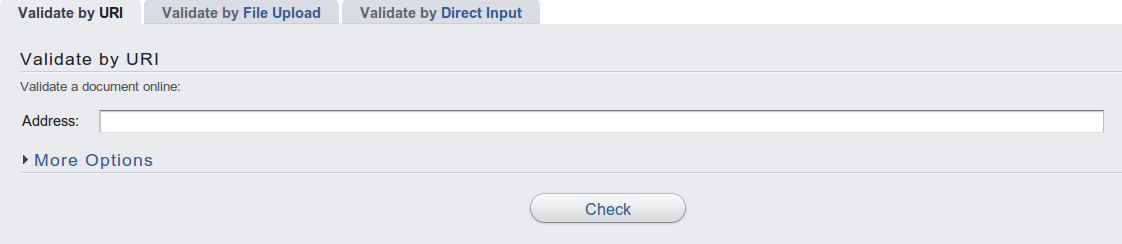
This validator checks the markup validity of Web documents in HTML, XHTML, SMIL and MathML. If you want to validate specific content such as RSS/Atom feeds or CSS stylesheets, MobileOK content, or to find broken links, other validators and tools are available there.
Adobe BrowserLab is an online service that helps to ensure that your web content is displayed as you wanted. Accurately preview web pages across multiple browsers and operating systems, navigate links, and use diagnostic tools to efficiently optimize websites.
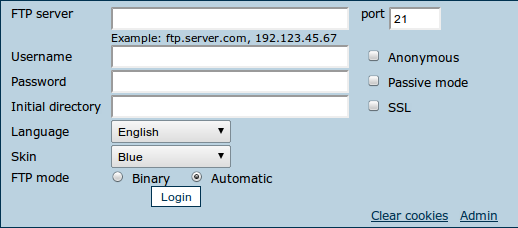
Net2ftp is a web-based FTP client written in PHP. With it’s help you can navigate the FTP server, upload files, download one or multiple files, zip and unzip archives on FTP server, and install software.
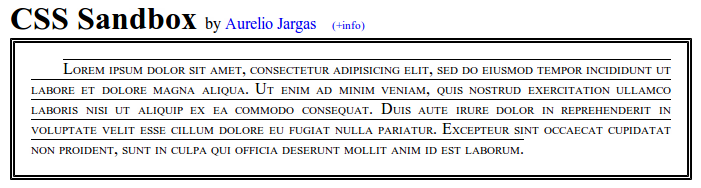
CSS-sandbox is a simple web toy that lets you explore CSS in real time. Just click and see the effect, no Reload needed. It’s very fast and funny.
Once you’re satisfied with the style of the Sandbox, roll your mouse over the handy CODE button. A panel will pop, showing all the necessary CSS code to apply that formatting to your web site.
LaunchSplash provides tools a web designer needs to create an awesome looking “Coming Soon” Landing Page for your domain easily in a few clicks. So if you are working on a project and would like to start growing your emailing list prior to launch this is a good way to go. We also did an article of coming soon pages, so if you need help check out: 40 Creative Coming Soon Pages & WordPress Themes.
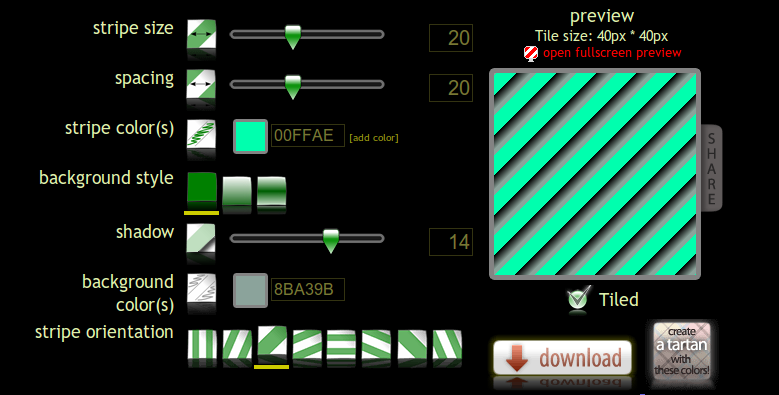
Tired of pixel-by-pixel painting, trying to create seamless stripes textures? Enjoy using stripe generator. Make your personal style, experiment and download the file. You can use it directly in your css file or as pattern in Photoshop. A great and useful resource for designers of all kinds.
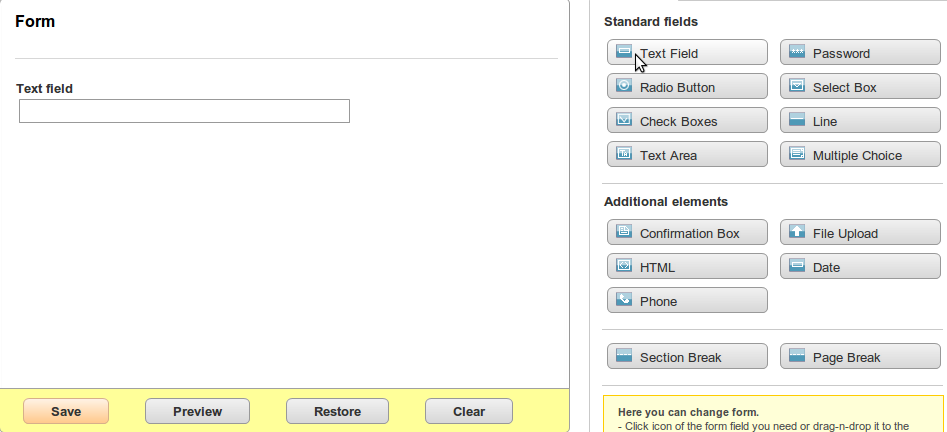
PHPForms is a professional web form builder. It allows to create personalised web forms in a few clicks and then embed them in your web-site. All you need to do is just copy and paste the generated code. With PHPForms you can save all form results in MySQL database on your server and download them as CSV file.
Also PHPForms has pre-designed widgets for some types of fields (phone number, email, date, file upload etc.). You can create different forms: multi-page and small, simple and complex. To create a form you don’t need to have any special programming skills.
If you need an interactive tool for designing harmonious color schemes that lets you drag a scale around a color wheel to select your hues, adjust the scheme and then export the hex codes into HTML, XML or text – then Color Scheme Designer is just for you. Need more color tools? Look no further, check out this article: Top 22 Helpful Color Tools for Designers


 Website builders have now been around for a while, and are here to stay for long as they offer professional looking business websites for free. Since more and more markets and buyers are moving online, owning a website has become a necessity for every business. Free online website builders have helped many small business owners to create specialized websites with their easy site building tools, amazing designs and intuitive content management systems. Let’s check out some of the best site builders online that can help you build a fantastic business website for free or at a minimal expense.


 I have also sent emails to individuals that I felt would be interested in an article and sometimes it works — many times it doesn’t. I still don’t feel comfortable asking others to tweet my stuff, but sometimes if you don’t ask then they won’t do it. In a perfect world, everyone spreads the word when you write something wonderful, but it just doesn’t work that way. We all need a little nudge from time to time.
 Another great vehicle for self-promotion is conference speaking. You might see the same people speaking at different conferences throughout the year, but that is because many times they make it aware to the conference organizers that they are available to speak. Conference organizers look at the speaking lineups of other conferences to get an idea of who their audience wants to see.
 Multiways
 Happy Dangy Diggy
 beautiful 2.0
 Douglas Menezes
 Hugs For Monsters
 Hughes
 The House Media
 Icon Dock
 Rockstar Working
 Moovents
 Insta Gallery
 Garamiz
 Azhestkov
 Joystick Generals
 I Love Colors
 Mooty Graphic Design
 Nine Flavors
 Veerle Duoh
 Elless
 A Modern Eden