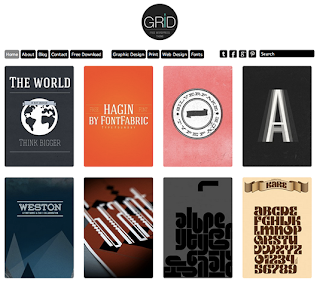
• The trend of responsive wordpress themes is getting more popular is every bloggers. WordPress offered very simple designs with basic functions But with the passage of time, several web developers and designers are taking part in designing fully responsive and attractive wordpress themes. Today we have collected some free premium wordpress themes with amazing features and responsive as well. These great themes with effective layouts can be used for creating websites and blogs, portfolio. check out our today’s article and find these free high quality themes. Enjoy!


    Continue to the full article >>


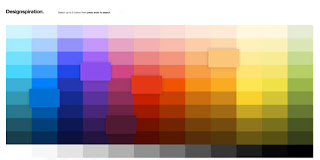
  • As we all know, Photoshop is very famous software in world of graphics. Because in Photoshop you can do graphics work very easily therefore, its very helpful software. In Photoshop gradient tool have great importance, because with help of this tool you can create your graphic designs and web designs very creative and attractive. In our today’s post we have collected “Photoshop Gradients For Free Download”. Hope you will like our free Photoshop gradients collection, so just have a look below downloadyour favourite free Photoshop gradient and enjoy.


    Continue to the full article >>


  • There are lots of logo design companies which have great ideas for their client’s, So today we’re rounded up 25 business logo design for design inspiration from all over the web.

    See the full post >>


  • For vector design lovers, I’m sure designers always in need of a free vector graphics for illustrations and sometimes it can become a little tricky to find the right one. So here is 30  free hi-qty vector graphics for designers which sweet to use on your websites and illustration work.


    See the full post >>


  • If your next design project involves creating a website layout from scratch, you do not want to miss this article. Today we have an amazing treat for you, your design team at Designrfix has done an excellent job in scouring the Internet in search of the best web design tutorials. These Photoshop tutorials will arm you with all the latest techniques to help you in your web design creations. So what are you waiting for…why not try one out? Enjoy!


    Read the full article >>


  • Photoshop has a powerful programming language built-in that allows you to record tasks as an 'action' and replay the steps to complete the task automatically. Not only can you record your own, but you can also import actions, opening up a whole range of effects and time-saving options. Here we've rounded up some of the best Photoshop actions that are free to download and install.


    Read the full article >>


  • You want to customise your site, but where do you start? We present the 10 best WordPress plugins around, for adding social features, ecommerce capabilities, and more.

    WordPress is both the world’s most popular blogging platform and the widest used Content Management System (CMS). And one of the reasons it's so popular is that it happily supports templating and plugins, making it highly flexible and customisable to suit different website needs.

    This flexibility, alongside the platform’s huge popularity, means there’s thousands of free plugins available on the web.
    That's the good news. The bad news is that sorting the wheat from the chaff can be a real challenge. So below we’ve chosen 10 of the best WordPress plugins to add functionality to your website - and as the icing on the cake, are all available free of charge!

    01. BuddyPress

    best WordPress plugins
    BuddyPress: the best WordPress plugin for social features?
    BuddyPress is a social media platform in a box. Building on top of the WordPress system, it allows you to register, maintain a list of friends, @message other users, create groups of common interests and host your own forums.
    BuddyPress itself is also extensible, allowing you to further extend functionality to include document upload, integration with other social media streams, create membership-only websites and much more.
    If you’re looking for a user-led or project-based system that encourages collaboration and interaction between visitors to your site, BuddyPress is an ideal solution and one of, if not the, best WordPress plugins for social networking.

    02. WP e-Commerce

    best WordPress plugins
    Use WP e-commerce to start earning money from your WordPress site
    WP e-Commerce turns your WordPress website into a fully featured ecommerce store, complete with built-in connection to (and integration with) many major Payment Service Providers (PSPs).
    The system enables you to upload products into different categories and offers customers a shopping cart system to allow them to build an order. It handles calculation of shipping, payment capture and all the email confirmations associated with buying and selling on the web.
    The plugin is free, and while you can buy additional upgrades to the system, it’s open source just like WordPress - so it’s perfectly possible to extend the cart’s functionality yourself. It's for these reasons that many champion it as the best WordPress plugin for ecommerce.

    03. Vimeography

    Best WordPress plugins
    If you upload to Vimeo and have a WordPress site, Vimeography is a must-have download
    If you’re a film-maker or someone who handles video on a regular basis, you’ll know it can be tricky to display your film content beautifully without resorting to manual hacks around embedding content. Vimeo users can take advantage of the Vimeography WordPress plugin to create and display fantastic-looking galleries of video content - all orientated around displaying nicely within your WordPress site. Multiple galleries of content can be created, and are inserted into posts or pages using the standard WordPress shortcode system.
    Vimeography is arguably the best WordPress plugin for video, although note that only supports content from Vimeo. And that's not likely to change soon because the developer believes Vimeo is the best platform to displaying portfolio-quality content (ie without advertising or unnecessary platform branding).

    04. SlideDeck

    best WordPress plugins
    SlideDeck 2 Lite is a quick and easy way to create slideshows
    SlideDeck enables you to create customised slideshows that are displayed in a content slider on your WordPress site. Each slide can be filled with text, images, video, social media stream feeds and syndicated content.
    Content supported includes Twitter feeds, YouTube, Pinterest, Flickr and more. The slides are presented through a template system, referred to by SlideDeck as a “lens”, which can be configured to match your site design. The premium version of the plugin adds more lenses, but the free version does allow you to develop your own.

    05. HTML5 jQuery Audio Player

    best WordPress plugins
    Create a customised audio player that sits within your WordPress site
    We'd consider this the best WordPress plugin for creating a customised audio player that sits within your site. It supports multiple or single tracks, complete with playlists and is inserted into your standard content with the familiar shortcode system.
    HTML5 is used as the default delivery method, but to ensure backwards compatibility it also features a Flash-based fallback. As a consequence, this will happily work across desktop and mobile devices without breaking a sweat!
    The plugin also connects with FetchApp, enabling you to sell your audio tracks directly from your site. Which makes it ideal for musicians or podcasters who want a reliable way to deliver their audio through their website.

    06. Seven Days

    best WordPress plugins
    Activate or deactivate widgets on your site based on the day of the week
    This is a handy little WordPress plugin that allows you to activate or deactivate widgets used on your site based on the day of the week. Ideal for any scenario where the day is important to the content being displayed, such as a restaurant that wants to show daily specials, a school displaying timetable information or a business with different opening hours. It’s very simple, but extremely functional and useful.

    07. WPTouch

    best WordPress plugins
    Serve a different WordPress theme to users of different mobile devices with this handy plugin
    If you're looking for a mobile skin solution, WPTouch is probably the best WordPress plugin for your needs.
    It allows you to serve a different theme to users on mobile device such as an iPhone or Android phone, providing a user-friendly and small-screen-optimised version of your content instead of forcing mobile users to navigate a desktop-orientated design.
    Installation is very simple, and the plugin can be configured to match your overall design aesthetic relatively easily. This is a great quick-fix solution if you don’t want to get into designing your own mobile theme.

    08. JetPack

    Blogging plugin JetPack's features are wide and varied
    JetPack brings some of the functionality of WordPress hosted blogs to self-hosted WordPress installations. The features are wide and varied but include cloud-hosted stats for your site, email subscription to your site, a built-in URL shortener service, social-network-based commenting, inline spelling and grammar checking and an enhanced gallery system.

    09. Price Table

    Price Table offers a simple drag-and-drop solution
    Want to create interactive pricing tables? Then this is the best WordPress plugin for you. It offers a simple drag-and-drop solution, inserting the tables directly into your page content.
    The system offers a straightforward solution to editing price table content, without the need to understand the underlying HTML and CSS - making it ideal for websites being maintained by non-technical users. Being built entirely in CSS, the design is easy to theme too, making Price Table highly recommended!

    10. NextGen Gallery

    Create image galleries for your WordPress site with the NextGen Gallery plugin
    It's open to debate whether NextGen Gallery is the best WordPress plugin for creating image galleries, but it’s certainly one of the most feature-rich, and that alone makes it our personal favourite.
    This plugin offers a great deal of flexibility in creating gallery content, including the ability to watermark images, create slideshows, organise content into albums and use different themes for display of your images. And, like all those on this list, it's absolutely free!

    Words: Sam Hampton-Smith


  • Clouds are capable in setting our moods. In summer days you would love them seen in a sunny blue sky while you dread them during rainy season. And what is cool is you can have these emotions without going out of your house. These free Cloud Wallpapers are great tools in improving your desktop and also giving you a boost and refresh your emotion or motivation without living your sit.

    View the full article here >>


  • Before the release of adobe Photoshop cs6, many designers have suffered from the 3d conception in the program, something that pushes adobe improve these functionalities in its latest version, they have made a handful of tweaks that will significantly improve your workflow and enhance your

    View the full article here >>